AI Builder icon

Coming Soon

From 0 to 100 in just 1 minute

Create interactive content faster than ever

Write a prompt, generate with AI, edit in Genially.

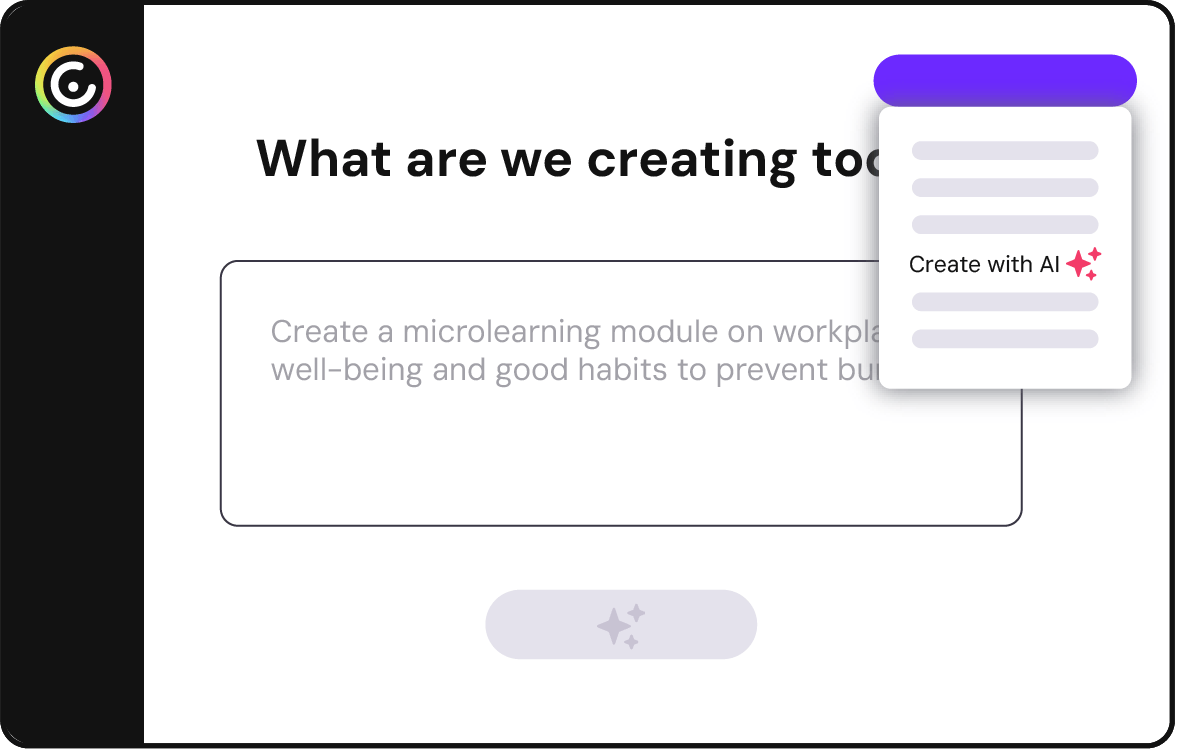
screenshot step 1 AI Creation

Start from (almost) finished ✨

Get a first draft built for you

Short on time or not too hot on design? Genially does 99% of the work for you, from planning the layout to writing the content. 
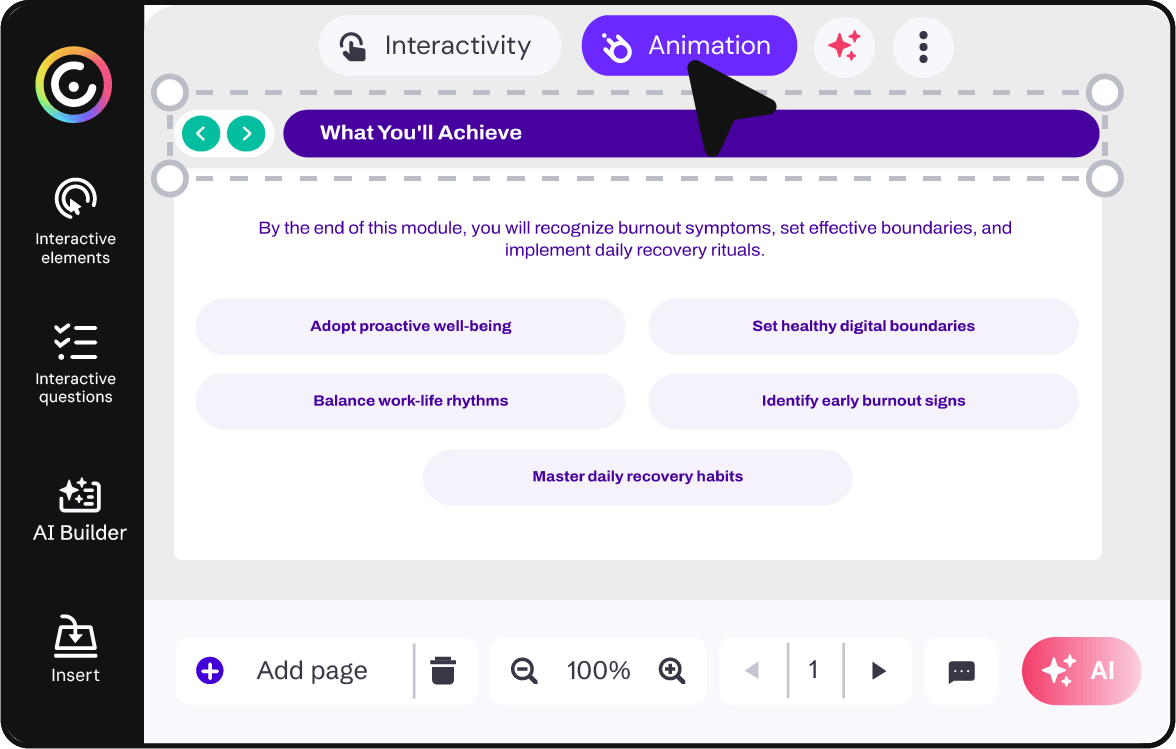
screenshot ai creation second step - edit

Easy to tweak ✨

100% editable

AI generates a framework that you can build on, without having to write more prompts. Edit directly on the canvas with all your favorite Genially tools. 
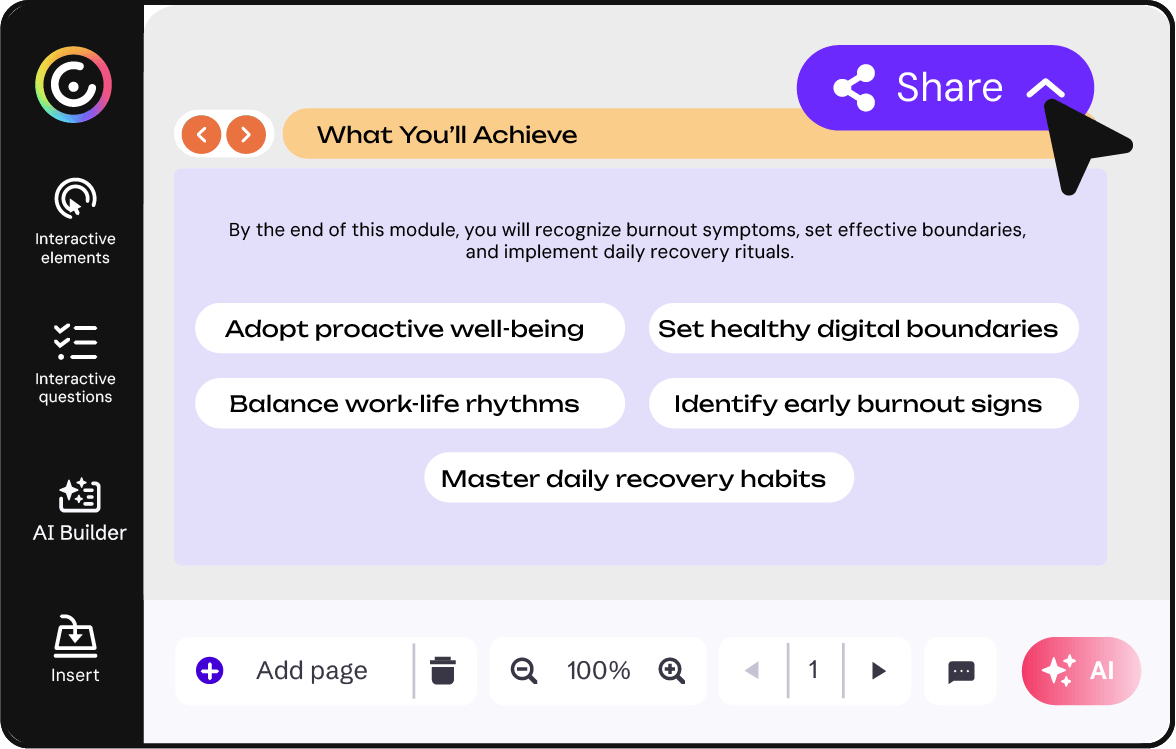
screenshot ai components 3 step, share

Instant results ✨

Ready to share

Slash the prep time for your next class, course, or campaign with  interactive resources that you can use right away. 
Real examples

Instructional design

Prompt

Create a microlearning module on workplace well-being and good habits to prevent burnout, and include some introductory content on the topic in the first slides. (Number of questions: 6 Difficulty: easy).

Business

Education

Higher education

How does it work?

icono de bombilla akihabara sobre fondo coral

1. Describe your topic

Explain your idea, or upload a source text, PDF, or genially.
icon representing presentation lenght

2. Choose the length

A brief 1-pager or 30-slide deck? Select the number of pages.

icon representing style

3. Pick a visual style

Choose the theme that best fits your project.

chest and AI icon representing AI creation

4. Generate

Make a coffee while AI creates the first draft for you.

drawing of a hand with a pencil over orange background to represent edition

5. Edit (if you want)

Preview to see how it looks. Want to make changes? Open in the editor. 
drawing of a hand and the sharing icon over pink background to represent share

6. Share

Share the link with your audience. Your genially is ready to go.

Do you want to be among the first to know?

Sign up here

Frequently asked questions

Generating an entire genially with AI is currently in testing and will be available to all users soon. Add your name to our mailing list to be the first to hear when it’s released in beta!

During the beta phase you’ll be able to generate an entire multi-page creation (like a presentation, quiz, or training course) without using any AI Credits. After the beta phase, it will consume AI Credits, like all other AI features.

Any language! When you type your prompt or upload a source text, Genially AI recognizes the language and generates the content in the same language.  
Want to create content in another language? Just specify so in your prompt.

Everything you generate with the Genially AI Builder is yours. Content is stored in your Genially workspace, and other people can only see it if you’ve shared the design, or if they have access to your workspace.

We don’t store your personal data or use it to train Genially. We only use it to generate the expected result and analyze how the feature is used.


We follow strict security and privacy policies in compliance with international standards like GDPR and SOC 2. Learn more about AI Security

Create experiences that click

In a world of static, make it interactive.